Nobody asks 'fries with that?' when the queue is long
GetMenu adds restaurant menu upselling to your online ordering page, so the menu asks for you. You set the offers once: a drink at a special price with a burger, a combo upgrade, a bundle or a free gift over a cart amount. The menu then offers them by itself, in the dish popup and the cart.
Why restaurant orders stay small when nobody suggests extras
Many restaurants miss easy extra sales because nobody has time to suggest them. A customer orders a burger, and nobody asks if they would like fries or a cold drink with it.
When orders come in by WhatsApp or by phone, the person replying is busy writing down the order and the address. At the counter, the line is long and the cashier wants to serve the next customer. So the question "Would you like fries with that?" is skipped, order after order.
Each skipped question means a smaller order. The customer might have said yes to a drink, a dessert or a meal deal, but nobody offered one. Over a month, those missed extras add up, and no report ever shows you the sales that did not happen.
In the dish popup
How to upsell drinks and sides on your online menu
In GetMenu's restaurant menu software, a customer who opens a dish sees your drink and side offers under the heading "Goes great with". A customer who opens a burger sees fries or a cold drink there, at the offer price you set, or free.
You choose which dishes show each offer. You can pick a few dishes, such as your burgers, or a whole category, such as all main dishes. The customer taps the offer to pick it. It then goes into the cart together with the dish when they tap Add.
If they close the popup without adding the dish, the offer is not added either. So nobody ends up with a cheap drink and no burger. You also set a limit per order for each offer, so a deal meant for one drink cannot be taken ten times.
Note under itAdded together with Chicken burger when you tap Add
LimitMax per order, set by you
Combos
Combo meal deals: combo upgrades, a second one cheaper and buy X get Y
A dish can become a meal deal while the customer is choosing. With a combo upgrade, a customer who opens a burger is offered your burger meal at a fixed combo price. If you do not choose a combo dish, the menu offers a second burger at a set price instead.
A combo needs the dish it comes with. If the customer removes that dish, the combo cannot be ordered. Three more kinds of offer appear in the cart, under "Deals for you".
A second one cheaper With one shawarma in the cart, the next one is offered at a percentage off. The discount follows the dish's current menu price.
Buy X get Y You pick a dish and a number. When the customer buys that many, they get another dish free or at a special price. Without those dishes, the reward cannot be ordered.
An add-on shelf A row of small items, such as a cookie or a sauce, each at one add-on price. It shows in the cart when you choose Cart under Show in.
Bundles
Meal bundles for restaurants: any 3 of these for one price
With a bundle, a group of dishes sells for one price, such as any three pastries for a set price. You pick which dishes count, how many make a bundle and what they cost together. The cart then applies it.
The customer types no code. When the cart holds enough of the chosen dishes, the price drops, and the cart says the bundle is applied and how much they saved. When they have some of the dishes but not enough, the cart tells them how many more they need for the bundle price.
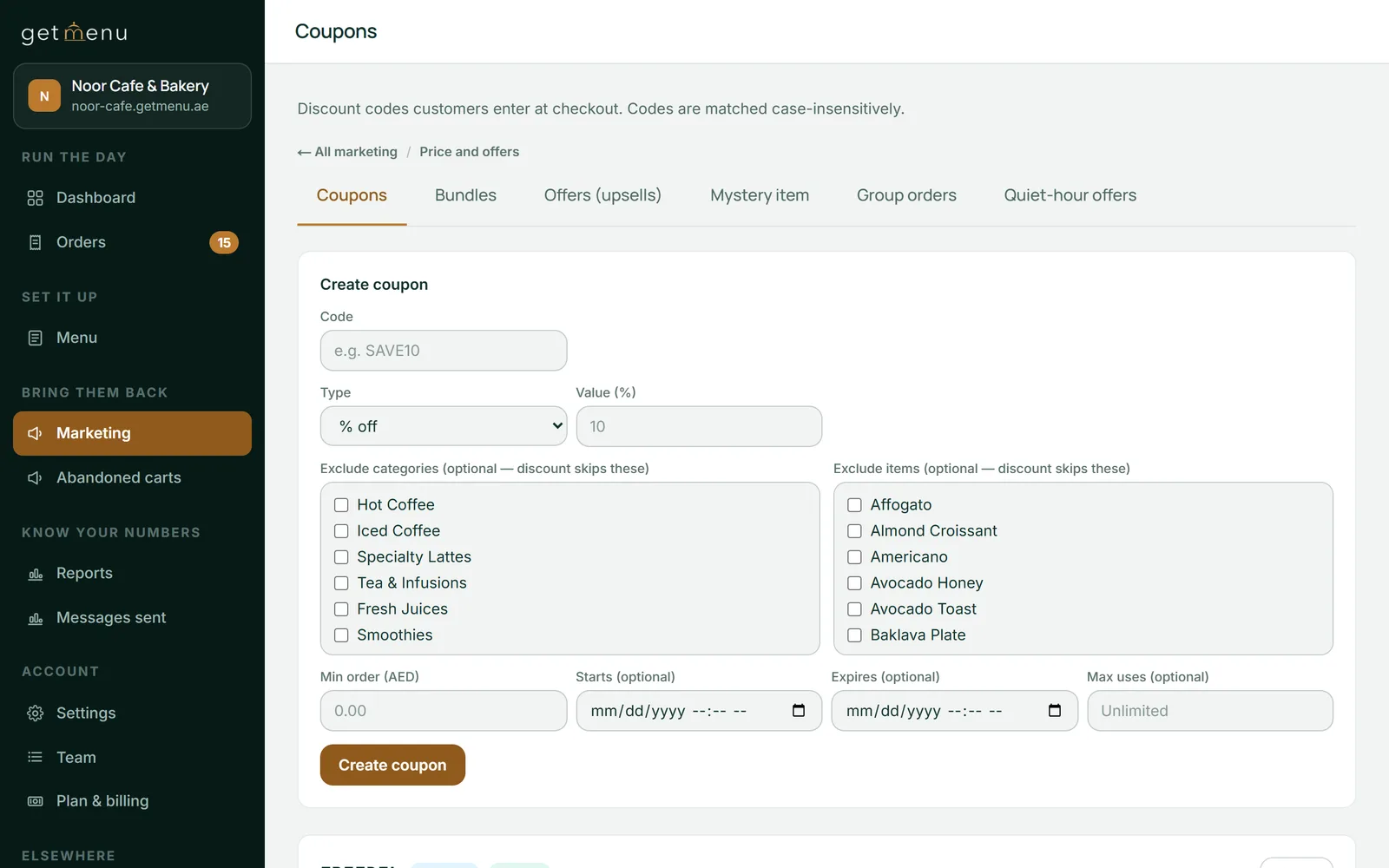
A bundle is a price, not a coupon. Coupons stay off the bundled dishes unless you tick Allow further discounts, so the same dishes are not discounted twice by mistake. Bundles and offers are under Marketing, in the Price and offers group, next to your coupons. All your deals are in one place.
noor-cafe.getmenu.ae/admin
Marketing, then Price and offers: Bundles and Offers (upsells) sit in the same row of tabs as Coupons.
In the cart
Increase average order value with free delivery and free gifts
The cart shows customers how close they are to free delivery or a free gift. If you offer free delivery over an amount, the cart shows a bar and tells the customer how much more they need for free delivery.
You can add free gifts over a cart amount as well, for example a free dessert once the cart reaches one amount and a free drink at a higher one. The cart lists the gifts already reached and how much more the next one needs. The customer adds a gift they have reached with one tap.
When the customer needs only a little more for free delivery or the next gift, the cart can suggest one dish. It picks the cheapest dish that closes the gap, at its normal price. One tap adds it, and the customer reaches free delivery or the next gift without going back to the menu.
Free delivery reachedDelivery is free on this order
Days, hours and regulars
Happy hour offers, first-order welcomes and rewards for regular customers
You choose the days and hours each offer runs. A happy hour offer can sell iced coffee at a lower price between 3 pm and 5 pm on weekdays. When the order is placed, GetMenu checks the day and time in your restaurant's time zone, so the offer price cannot be used at other times.
A first-order welcome offers new customers a dish at a welcome price, or free, on their first order. It shows on a phone or computer that has not ordered from you before. GetMenu also checks the customer's phone number when the order is placed, so a regular customer on a new phone does not get the welcome again.
A reward for regular customers works in the same way. For example, it can give a free dessert on every fifth order. It counts the orders that phone number has placed with you, so the reward comes on the right order.
Complete the meal: suggestions learned from what your customers order together
Some suggestions come from what your own customers order together. Switch on Complete the meal, and the dish popup suggests up to two dishes most often ordered with the dish the customer is looking at.
The suggestions come from your restaurant's orders over the last 90 days, once there are at least 30 of them. Two dishes must appear together in at least five orders before they count as a pair, so a single unusual order never becomes a suggestion. The list is worked out again once a day, and the Offers page shows you what your orders say right now.
A suggestion is not a deal: the customer pays the normal menu price. It comes from all your orders added together, never from one customer's history. Your own offers come first, so where you have set a pairing for a dish, the suggestion from your orders is not shown. You switch it on once, and it keeps running after that.
Online menu and POS
Upselling on your online menu while the POS counter stays quick
Offers run on your online menu, where the customer has time to look. The GetMenu POS shows no offers to the cashier, so a counter sale never stops for a question when the line is long.
Online orders show on the same POS screen as your counter sales. Each one prints on the same kitchen ticket, with every extra the customer picked. A phone order or a WhatsApp chat order is typed in once at the POS and sent to the kitchen and the riders the same way. To give those customers the offers too, share your ordering page link in your WhatsApp replies. Customers who collect their order use the same menu with the same offers. So do guests who scan a table's QR code.
Every offer price is checked again by GetMenu when the order is placed. If a deal has expired, or its main dish has been removed, the customer is told before the order goes through. A price changed on the customer's phone does not count.
Pick one of the ten kinds of offer, the dishes that show it, the offer price and the limit per order. Under Show in, choose the item popup or the cart. Tick days and set hours, or leave them empty for every day.
Marketing, then Offers (upsells)
Switch on Complete the meal
Tick Show suggestions learned from my orders and save. The same card lists the pairs your orders have found so far.
Marketing, then Offers (upsells)
Make a bundle
Pick the dishes that count, how many make a bundle and the price for them together.
Marketing, then Bundles
Set free delivery
Type an amount in Free delivery over, or leave it blank for no free delivery offer.
Settings, then Ordering rules
Check your margins
Give your dishes recipes to see what each one costs you to make before you price a combo or a bundle.
Menu, then Recipes & food cost
Questions
Frequently asked questions
What kinds of upsell offers can I create?
GetMenu has ten kinds of offer. Two are pairings: one is set on chosen dishes, one on a whole category. The other eight are: combo upgrade, cheaper second one, buy X get Y, free gift over a cart amount, happy hour offer, first-order welcome, reward on every fifth order (or any number you choose) and a shelf of small add-ons. Bundles and Complete the meal suggestions sit beside them.
Which GetMenu plans include upselling?
Offers, bundles and Complete the meal come with the Growth and Pro plans. The free delivery bar, and the cart's suggestion of a dish that closes the gap to free delivery, work on every plan once you set a free delivery amount. To try the offers in your 15 free days, choose Growth or Pro when you sign up. The pricing page shows the plans in your own currency.
Are offers added to the cart without asking the customer?
No. An offer is only a suggestion until the customer taps it. A pairing in the dish popup goes into the cart with the dish when they tap Add, and a cart deal is added when they tap it under Deals for you. A bundle only changes the price of dishes they already chose. Nothing appears in the cart that the customer did not pick.
Can I check my food cost before I price a combo?
Yes. GetMenu includes restaurant menu costing software on the Recipes & food cost page. Give each dish a recipe made from your ingredients and their costs. The page then shows what one portion costs you to make and the margin left at its menu price. Check it before you set a combo or bundle price, so you know how low you can go and still make money.
Does the GetMenu POS suggest add-ons to the cashier?
No. The cashier picks the dishes and takes the payment with no offer screens in between, so service stays quick. Offers, bundles and Complete the meal suggestions run on your online ordering page, where the customer has time to choose. A customer who orders there sees every offer you have set.
Are the Complete the meal suggestions personal to each customer?
No. The suggestions come from all of your restaurant's orders over the last 90 days, added together, and never from one person's history. Everyone who opens the same dish sees the same suggestion. Whatever the customer taps is added at its normal menu price, because a suggestion is a shortcut to your menu, not a deal.
What is the difference between a bundle and a coupon?
A coupon is a code the customer types at checkout to get money off. A bundle needs no code: it is one price for a group of dishes, and the cart applies it when it holds enough of them. By default, a coupon does not apply to the dishes inside a bundle, so a dish is not discounted twice. Tick Allow further discounts if you want both.
Will the menu offer a dish that has sold out?
No. The dish popup and the cart only offer dishes that are available. A dish marked sold out is never offered or suggested. If an offered dish sells out while it sits in a cart, the checkout refuses it and names the dish, so your kitchen is never sent an offer it cannot make.
Try GetMenu free for 15 days, with no card needed. Choose Growth or Pro when you sign up, and set your first pairing, combo or bundle on your ordering page.