
Handheld POS system for restaurants: waiters' phones at the table
A handheld only speeds up a table when the round leaves the waiter's hand and reaches the kitchen by itself. Here is how a waiter's phone does that, and what it costs.
Home / Blog / How to sell add-ons at checkout without a script
A script only works when staff remember it. An ordering page asks every customer, every time. Here are the three moments it can ask, and how to set each one up.
Tanzeel ur Rehman · Co-founder, Get Menu · 7 October 2026 · updated 16 October 2026
To sell add-ons at checkout without a script, let the ordering page ask for you. It asks at three moments: a "Goes great with" row in the dish popup, offers and bundles in the cart, and a bar that shows how much more gets free delivery. Each one raises the total per order, and you switch each one on yourself.
A script only works if staff remember it, and they forget when the shop is busy. A screen asks every customer the same question, and the customer can say no without anyone watching. Trained staff can sell well too, but they cannot ask every guest, every time.
One guide to online upsells, from Dinevate, names drinks, sauces, sides, desserts and combo upgrades as the usual add-ons. HungerRush notes that good upselling raises the average ticket. Orders away from the table are also larger to begin with. Restolabs reports that 25% of consumers spend more on off-premise orders than when dining in, and the average digital order is 23% higher than an in-person one. Deliverect reports that orders through a delivery app are 32% higher in value than dine-in ones.
To see what works, compare each add-on with its own last month.
There are three moments to ask: the dish popup, the cart and the free-delivery bar. See how automated menu upselling works.
The first moment is the dish popup. Open a dish and a "Goes great with" row shows the pairings you set: a raita with the biryani, a combo at a bundle price, or a second of the same dish for less. Whatever the customer picks there is added together with the dish, never on its own. The rules behind the row are "Pair a deal with an item", "Category pairing" and "Combo upgrade".
You can also turn on Complete the meal. It suggests dishes that customers often order together, based on your own last 90 days of orders, at the normal price. It is off until you turn it on.
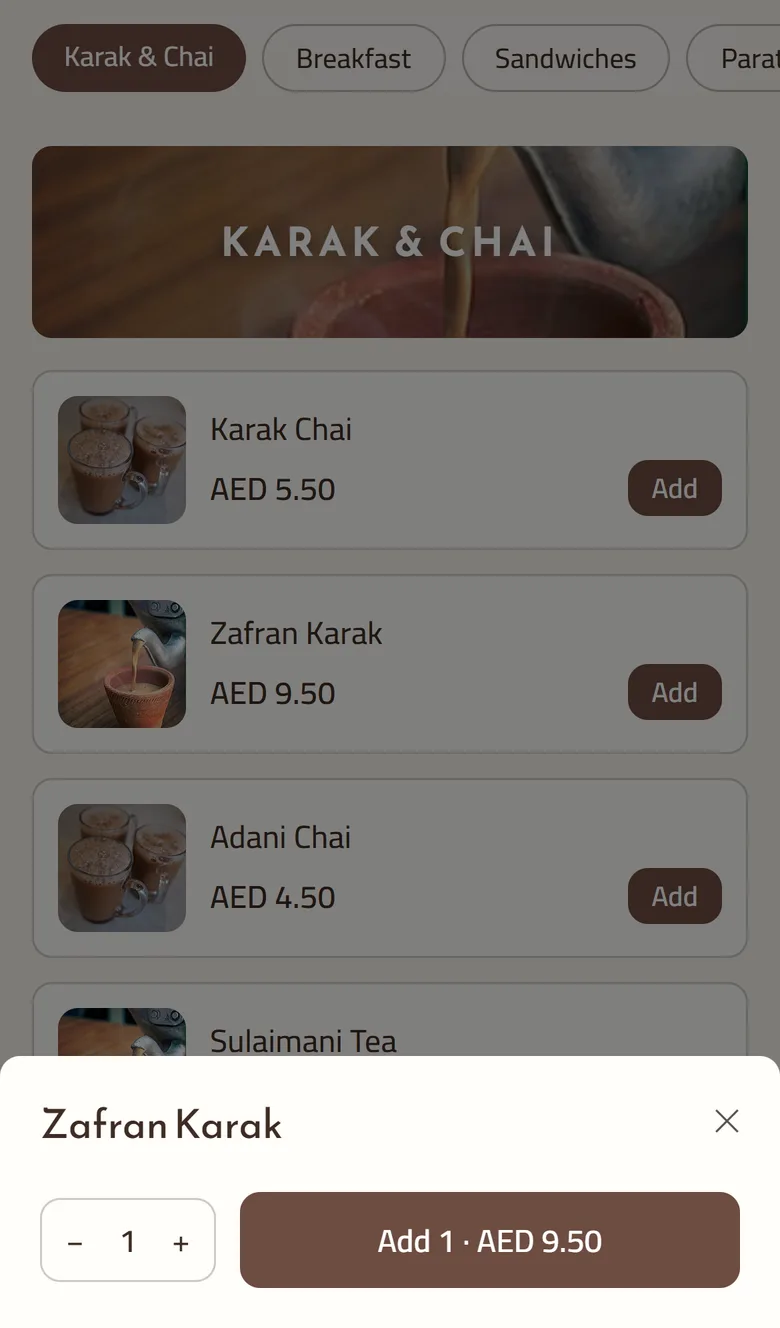
The second moment is the cart. Offers set to show in the Cart appear under "Deals for you" while the customer builds the order, before the summary step. The rule types are "Free/discounted item over a cart amount", "2nd unit discount", "Buy X get Y", "Happy hour / day-part offer", "First order welcome" and "Every Nth order reward". A "Checkout add-on shelf" of dips and drinks can sit there too: choose Cart under Show in. Anything sold out is left out.
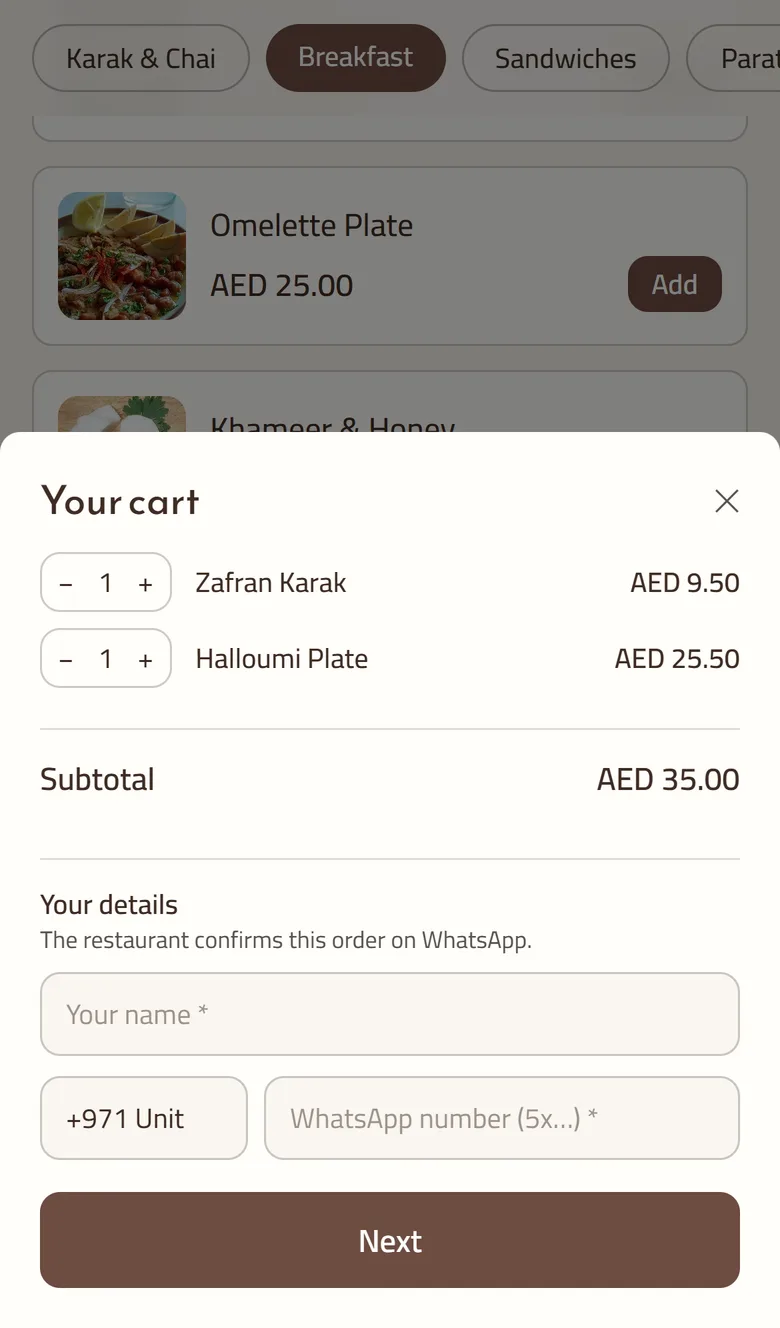
The third moment is the threshold bar. One bar shows how much more gets free delivery. Another line shows how much more unlocks the next free gift, such as a free dessert once the cart reaches an amount you set with a "Free/discounted item over a cart amount" rule. Under the bar, one button offers the cheapest dish in stock that gets the customer over the line.
A bundle is a fixed price for a set of dishes. Under Marketing and Bundles, pick the dishes that count, how many make a bundle (say any three) and the price for them together. The cart applies the bundle by itself when enough qualifying dishes are in, shows "Bundle applied, you saved", and tells the customer how many more they need when they are short. Coupons stay off bundled dishes unless you tick Allow further discounts, so the same dishes are not discounted twice by mistake.
Setting up the first offers takes four steps.
We check every offer price and limit again when the order is placed. A double tap cannot order twice. The order, add-ons included, goes to your managers' group on WhatsApp the moment it is placed. Online and WhatsApp orders also show on the POS screen beside counter sales, and add-ons print on the same kitchen ticket at each station.
Tanzeel ur Rehman, a co-founder of GetMenu, says: "The best upsell is a question the customer was about to ask themselves. The screen just gets there first."
No personal suggestions: Complete the meal learns from all of your restaurant's orders together, so everyone who opens a dish sees the same suggestion. A coupon and a loyalty-tier discount never add together, and the better one wins (loyalty tiers are on the Pro plan).
Offers, bundles and the Complete the meal suggestions come with the Growth and Pro plans, and so does QR table ordering. The free-delivery bar works on every plan. The plans are on the pricing page, with a 15-day trial and no card.
Offering the customer something that goes with what they are already buying: a drink with the meal, a larger size, a side or a dessert. On an ordering page, the menu makes the offer for you, and the customer decides in their own time whether to add it.
Keep each add-on relevant to the dish, cheap next to the main, and easy for the kitchen to make. Ask once and let the customer carry on, with no popup that blocks the order. Check which offers customers take, and drop any offer they keep ignoring.
On GetMenu you create offer rules under Marketing and Offers. Each rule has a trigger such as a dish or a category, a deal such as a paired item or a combo, and a place to show it: the dish popup or the cart.
A fixed price for a set of dishes, such as any three pastries from a list for one amount. You choose the dishes, how many make a bundle and the price. The cart applies it by itself and shows the saving.
There is no single good number, because a cheap dip and a large dessert sell very differently. Count how many orders take each add-on, and compare each one with its own last month. If an add-on keeps falling, change the dish, the price or where it shows.
Start with the pairings customers already make: a drink with the main, a dip with the fries. Set them as "Pair a deal with an item" rules, add one cart offer such as a free item over an amount, and set your free-delivery amount. Then keep the ones customers take.
The ones that travel well and finish the meal: a cold drink, a side that survives the ride, a dip, a dessert that does not melt. Keep each one cheap next to the main and quick for the kitchen to pack. Leave out anything that arrives soggy.
A handheld only speeds up a table when the round leaves the waiter's hand and reaches the kitchen by itself. Here is how a waiter's phone does that, and what it costs.