
Managers' group
TABLE 7 · dine-in
NEW ORDER A-31 · 1 × Cheese croissant · 2 × Karak tea (Less sugar) · card machine
Home/Online ordering
Online orderingGetMenu is a restaurant ordering system that gives you your own ordering page, such as yourrestaurant.getmenu.ae. Customers open it from a link or a QR code, pick dishes, sizes and extras, and choose delivery or collection. They pay cash or by card machine when they get their food. Your team gets each order on WhatsApp the moment it is placed.
Your ordering system website takes the customer from your menu to a finished order in three short steps on their phone. They tap a dish, pick its options and add it to the cart, where they give their name and WhatsApp number.
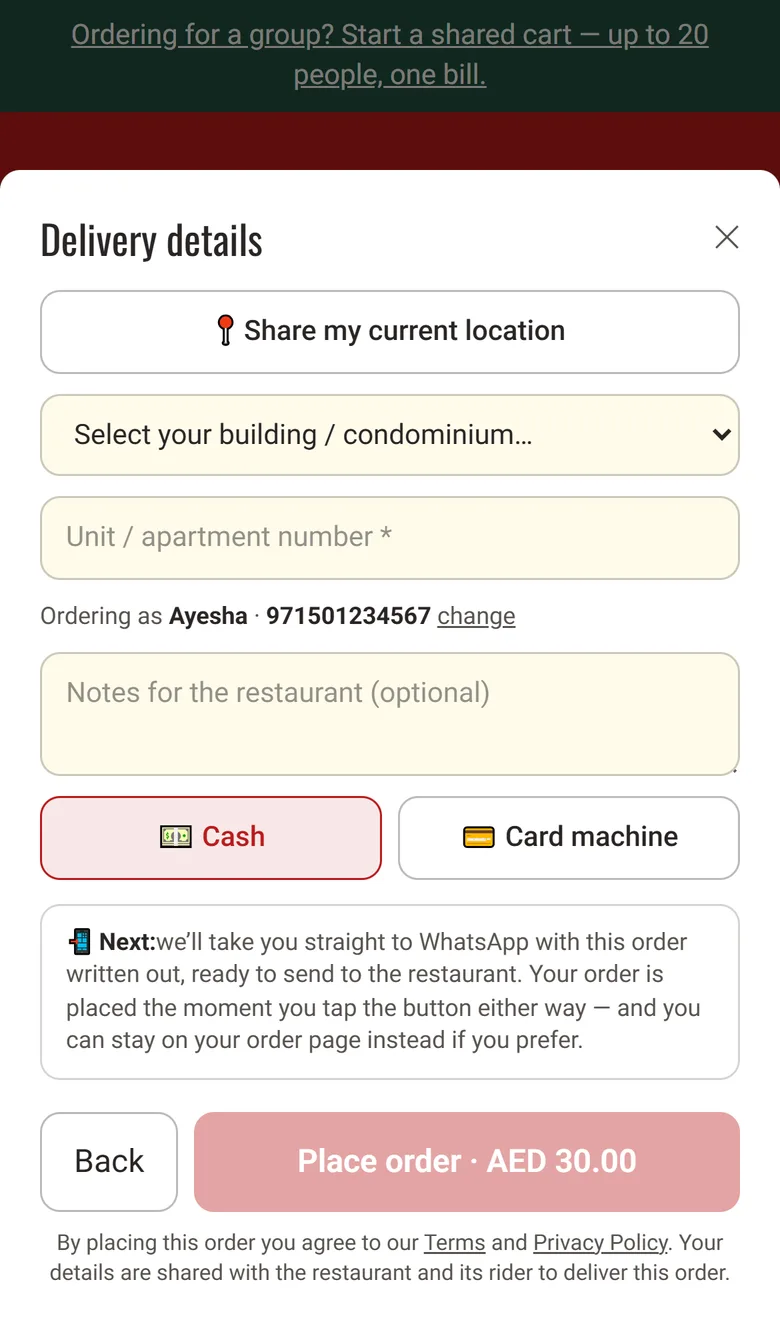
The order summary shows the subtotal and a box for a coupon code. The last step asks how they want to get the order: delivery or collection. For delivery, the customer picks their building from your list, types the unit number and can share their location as a map pin. Then they choose cash or card machine. The customer never types a full address.
GetMenu checks every price again when the order arrives, so a customer cannot change a price on their phone. A double tap makes only one order. While the customer orders, the menu can offer a drink with a burger, or show how much more they need for free delivery. Then your managers' WhatsApp group gets the order, and your riders' group gets each delivery order.
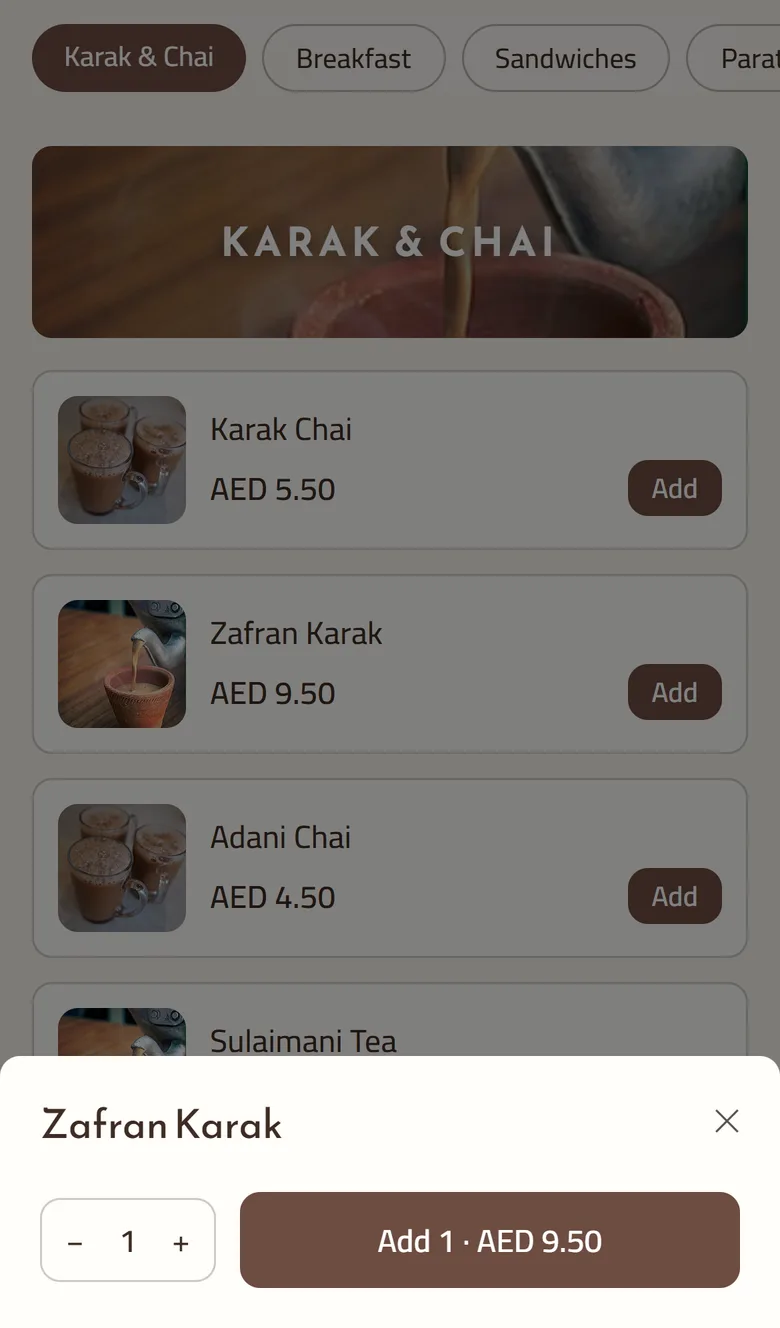
Each dish on your online menu can have its own choices, and its stock can go down with each sale. So customers can only order what you can really make, and only the choices you offer.
Choices come in groups, such as a size, a sauce or extras. You decide whether a group is required and how many choices a customer can pick. Each choice can add to the price. The Add button stays off until every required choice is made, and GetMenu checks the choices again when the order arrives.
You can track stock for any dish, and separately for each size or flavour. Every order lowers the count. At zero the dish shows Sold out instead of Add, and when only a few are left, the menu says how many. If two people order the last portion at once, only one order goes through. A cancelled order puts its stock back.
The best system is the one that fits how your restaurant already works. Most online ordering software for restaurants can show a menu, so compare the parts that cost you time or money.
GetMenu lets guests order from their own phones in two ways: at a table by scanning its QR code, and together as a group for delivery. Guests do not wait for a waiter, and orders are not typed into a chat.
Each table has a unique QR code, so the page already knows which table the guest is at. The code is hard to guess. The guest gives no address and pays no delivery fee. Your managers' WhatsApp group gets the ticket with the table name at the top, and no rider is called. You choose how table guests can pay. You design the QR cards in your dashboard, ready to print.
A group order is for an office or a family ordering delivery together. One person starts a shared cart and sends the link. Everyone adds their dishes under their name, from their phone. The person who started the order pays one bill. You set how many people can join, from 2 to 50. Coupons do not apply to group orders.
TABLE 7 · dine-in
NEW ORDER A-31 · 1 × Cheese croissant · 2 × Karak tea (Less sugar) · card machine
Order A-31 is confirmed.
Table 7. We will bring it over.
A table order sends no message to the riders
Your ordering page takes delivery and collection orders, and the customer chooses at checkout. For delivery, they pick their building from your list and type the unit number, so your riders get an address they can find.
Each building on your list has its own delivery fee. You can set a minimum order, and make delivery free once a cart reaches an amount you choose. Your riders' WhatsApp group gets the building and unit, whether to collect cash or bring the card machine, and a map link when the customer shares their location.
For collection, the customer gives no building or unit and pays no delivery fee. The ticket says collection, so your team has it ready at the counter. They pay cash or by card machine when they pick up the order.
Customers can also book an order for later, even while you are closed. They pick a day and a 30-minute slot. You decide how much notice you need. The riders get a delivery order when it is time to cook, not when it was booked.
Add dishes one at a time with photos and choices, or fill in the Excel template and upload the whole menu.
Menu, then Bulk import (Excel)
Pick one of 12 page layouts. Ten come with their own finished design. On the Classic and Photo hero layouts, also pick one of 57 colour and font themes, and preview it on your own menu first. Photos you upload are made square and smaller to keep the page quick on a phone. Prices show in your restaurant's currency.
Theme gallery
Set your hours for each day, the minimum order, free delivery over an amount, and orders for later if you want them.
Settings, then Working hours and Ordering rules
List the buildings and areas you deliver to, each with its own fee, by hand or from a spreadsheet.
Settings, then Condominiums & delivery fees
Link your number by scanning a QR code, then pick your managers' group and your riders' group.
Settings, then WhatsApp connection & groups
Add each table, then design its QR card and download the cards ready to print.
Settings, then Tables & QR ordering
No. Your GetMenu plan gives you the ordering page, the WhatsApp messages and the orders board in your dashboard, where you confirm each order, choose a rider and mark it delivered. The POS is a yearly add-on for the counter, the kitchen screen and printed kitchen tickets. With the POS, your online orders also show on the POS screen beside the counter sales. You can add it at any time.
Yes, if you already own one. Your ordering page then opens on your domain instead of your getmenu.ae address. Your dashboard shows whether your plan includes it or it is a paid add-on. The GetMenu team connects the domain for you. Your getmenu.ae address keeps working and sends people to your domain, so printed QR cards and links you already shared still work.
Yes, if you switch on orders for later. Customers then pick a day and a 30-minute slot inside your opening hours, and the order waits on the Scheduled tab of your orders board. If you do not switch it on, the page shows a countdown to when you open, in your restaurant's time zone. You also choose how much notice you need and how many days ahead customers can book.
Yes. You set a minimum order for delivery, and the checkout will not accept a smaller one. You can also make delivery free once the cart reaches an amount you choose, and the cart shows the customer how much more they need to add. Below that amount, each building keeps its own fee. Table orders skip the minimum unless you turn it on for them.
They see an order page with the order number, its status and an invoice they can download. If your WhatsApp number is set up, the customer is taken straight to WhatsApp with the order already written, ready to send to you. They can also stay on the order page. Their confirmation comes from your number with a link back to the order page, which shows the latest status each time they open it.
Yes. One ordering page serves all three. A guest who scans a table's QR code orders for that table, with no address step, and your managers' group sees the table name on the ticket. Anyone who opens your normal link chooses delivery or collection. Delivery asks for the building and unit, and collection asks for neither. After a guest scans the QR code, the table stays selected in their browser tab for up to four hours.
Yes. Download the Excel template from your dashboard, fill in one row per dish with its category, price, description and choices, and upload it. You can add the rows to your current menu or replace the whole menu at once. Replacing starts a fresh menu, so stock counts and allergy details are cleared. The page warns you before you upload.
Try the ordering page free for 15 days, with no card needed. Add your menu, connect your WhatsApp number and share your link.