Home/Blog/Self ordering system for restaurants: order on guests' phones
Self ordering system for restaurants: order on guests' phones
The guest's phone is the kiosk. What a self-ordering system is, what the kiosk figures do and do not show, how GetMenu's version works, and what actually changes for the people in the dining room.
Agha Shah Zaman · Co-founder, Get Menu · 7 October 2026 · updated 16 October 2026
A self ordering system for restaurants lets the guest build the order themselves, at the table or at home, so staff cook and serve instead of typing. GetMenu's version needs no kiosk. The guest orders on their own phone by scanning the table's QR code or opening your ordering link, and the order goes straight to the kitchen.
What a self ordering system for restaurants is, and the three forms it takes
How GetMenu's version works, at the table and at home
GetMenu is a self service ordering system restaurant owners run with no kiosk to buy. For table QR ordering you need the Growth plan or above, and the QR codes printed from the QR designer's print pack. Each table has its own QR code, so the order always goes to the right table. A guest scans it and orders with no address to type, because the table is the address. Each table has one open bill (a tab), and every new order added to it is a round. The guest's order opens as a round on that table's tab on the floor plan. There is more on this in our guide to the table ordering system.
Every order goes on one kitchen ticket: counter, web and WhatsApp. It prints at the right station and shows on the kitchen screen, with the choices under the dish. A customer's note prints on the ticket, and an allergy note prints in bold red above the dishes. One stock list covers the counter and the online menu: when a dish is sold out on the POS or runs out, it shows as Sold out on the other POS devices and on the guests' phones.
At home, the same menu is your ordering page. It takes a name and number before checkout. The customer picks their building from your list and types their unit number, can share a map pin, and the page remembers them for next time. On the Growth and Pro plans, friends can share one group order from one link. Each person adds their own dishes from their own phone, and the person who started it pays one bill when the food arrives. The moment the order is placed, a WhatsApp confirmation goes from your own number, a ticket to the managers' group, and a dispatch to the riders' group. Collection orders show on the same board. Every line is re-priced from your menu at checkout, and a double tap cannot order twice.
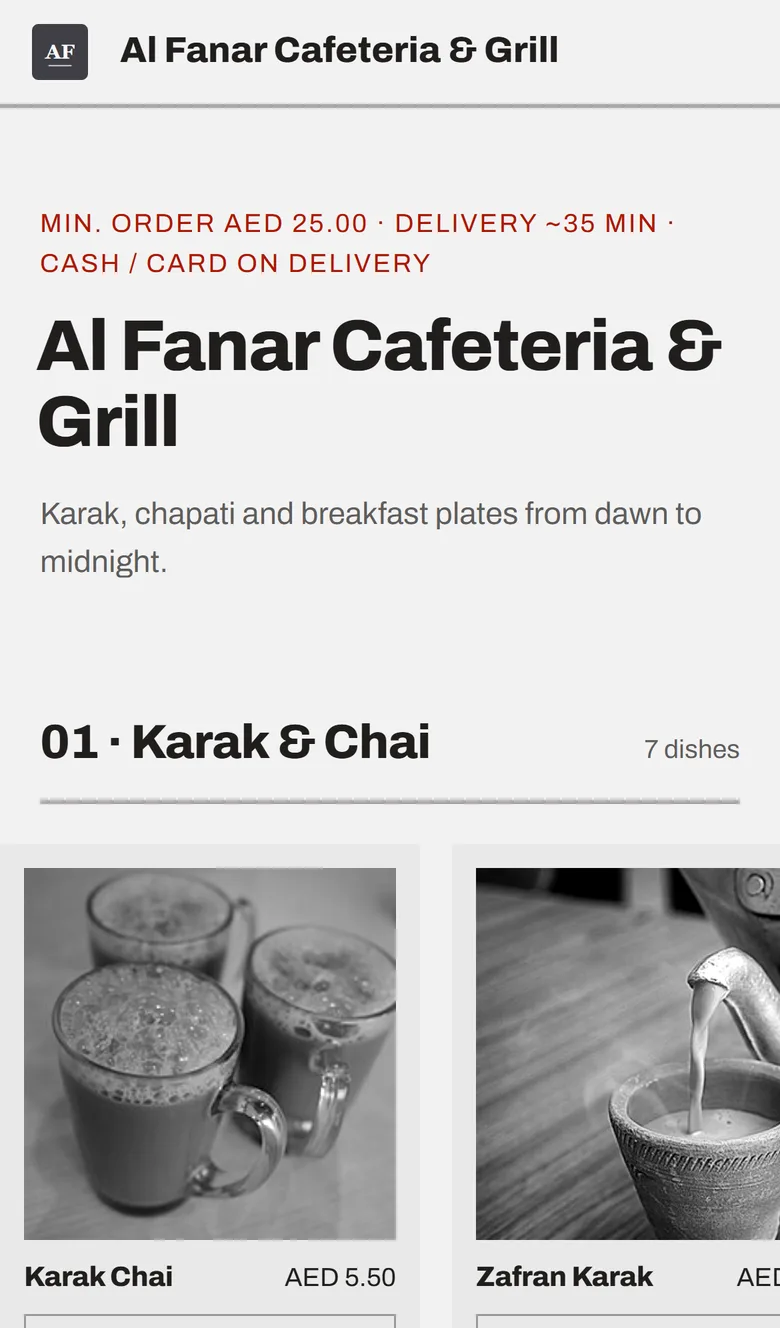
A restaurant's ordering page on a phone in the mono photo style: the minimum order, the delivery time and cash or card on delivery, then the first dishes under Karak & Chai
What changes for staff
The counter stops typing in orders. Orders that used to be read out and keyed in arrive already typed, with the choices the guest made, so the cashier's job becomes payment and the odd correction. At the end, the table settles at the counter in cash or on your own card machine, with the bill split by item or evenly when they ask.
The dining room is run by the host and the waiters. The host seats bookings and walk-ins on the floor plan screen. A free table shows its next booking in copper, so nobody is seated at a table already promised. Waiters carry their own phones, and the floor plan screen is their home screen: white for free, dark for an open tab, amber for a table asking for the bill, and a green edge with "Guest ordered" when a guest has just ordered from the table's QR code. A waiter adds a round to any tab for the guest who would rather be served than scan. Nothing forces a guest to use a phone. Paper menus stay on the table, and the waiter's phone takes the order into the same tab.
The kitchen reads one ticket for every order. Orders from delivery apps you connect with your own partner account arrive on the same board and kitchen screen. The kitchen ticket prints per station with no prices and the order number big and bold. The spice level and the other choices are printed in bold on the kitchen ticket, so the question the guest answered on their phone is the line the cook reads. Online and WhatsApp orders show on the POS screen beside counter sales, and every order, from the counter, a table, the ordering page or WhatsApp, prints on the same kitchen ticket at each station. In the dashboard, the Orders board lists every table order with its table.
The owner gets the numbers. Every self-ordered round is an order with a time, a table and the guest's name and WhatsApp number. So the dashboard's best-sellers list and the shift reports describe the dining room as well as the delivery run. On the Pro plan, each of those guests earns a stamp, and regulars grow into tiers with their own discounts.
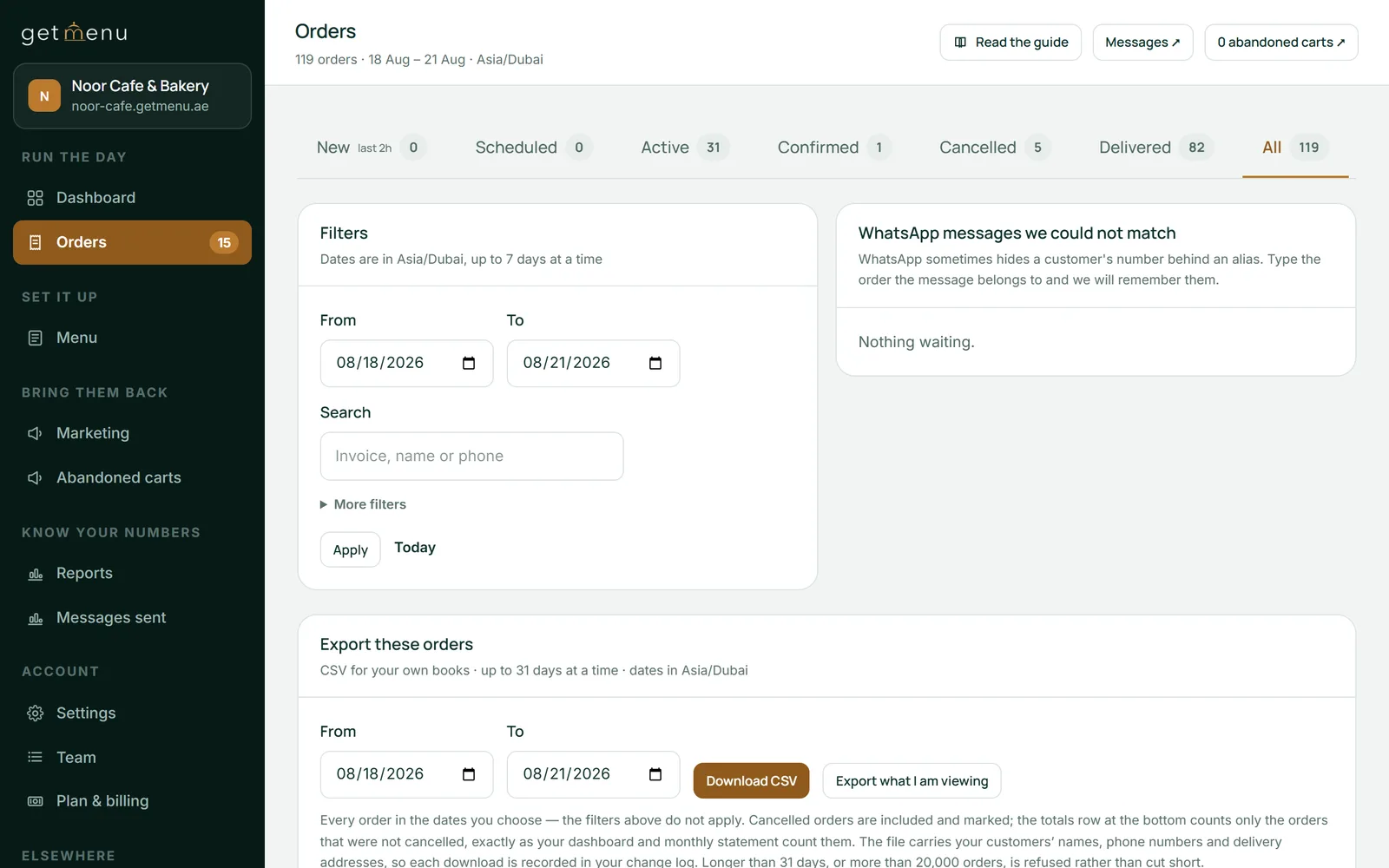
The Orders page in the dashboard: tabs for New, Scheduled, Active, Confirmed, Cancelled, Delivered and All with their counts, date filters and a CSV export
The kiosk question
A kiosk self ordering system is a screen you buy, mount and maintain. It earns its place in a quick-service line where fifty strangers an hour order the same ten things. GetMenu sells no kiosk and has no kiosk mode. The design is the guest's own phone, which they already hold, already trust and already have their details on. For a small restaurant that is the right choice: no hardware, no cleaning schedule for a touchscreen, and one way to order that works for delivery and collection as well as the table.
If you run a counter where a kiosk would really shorten the queue, buy the kiosk from a kiosk company and keep GetMenu for the tables, the online orders and the riders. The two do not compete. Guests simply pick the way they prefer to order.
Agha Shah Zaman, a co-founder of GetMenu and a business technology analyst, puts the staff case plainly. "Self-ordering does not remove the waiter. It removes the notepad, and gives the waiter back the part of the job that needed a person."
What this self ordering system for restaurants does not do
It does not take payment on the guest's phone, because GetMenu takes no online payment. The bill is settled at the counter or on the card machine brought to the table. It has no kiosk hardware or kiosk mode. It does not run a tablet fixed to the table. And it does not force the phone on anyone: the waiter's phone and the paper menu stay, and a table can mix all three. Table QR ordering needs the Growth plan or above, and so do group orders and the dish-popup offers. The tables, the floor plan on the devices, open bills, split bills, the kitchen screen and the waiters' phones come with the POS add-on. The plans are on the pricing page. The trial runs 15 days with no card and covers the plan; the POS add-on has no trial of its own.
Frequently asked questions
What is a self ordering system in a restaurant?
A way for the guest to build and send the order without staff typing it. It can be a kiosk at the entrance, a tablet on the table, or the guest's own phone through a QR code or an ordering link. The order goes to the kitchen and the counter as if staff had entered it. GetMenu's version uses the guest's own phone, with the table's QR code at the table and your ordering page at home.
Do self-ordering kiosks increase sales?
The vendors say yes. McDonald's reported a 30% rise in average order value. The one academic field study Duckhub could find measured kiosk orders about 11% lower in value than cashier orders. The result depends on your menu and your guests. On the guest's phone, the dish popup suggests a dish that goes with it, and a bar shows how close the order is to free delivery. You can watch the result in your own numbers.
Do customers like QR code ordering?
Some do and some do not. In one survey of 1,000 people, only 14% wanted restaurants to keep offering QR code menus. So keep the paper menu on the table and the waiter's phone in the apron, and let the QR code be the fast choice for guests who want it. On GetMenu all three feed the same tab.
How do I get guests to scan instead of waving for a waiter?
Make the code the easiest thing on the table. Put the card where the eye lands, say what it does in plain words, such as scan to order and we bring it to you, and have the waiter point to it on the first visit instead of taking the order. Guests who would rather be served still can, because the waiter's phone adds their round to the same tab.
Why switch to a self-serve ordering system?
Because the order the guest types is the order the kitchen gets, with the choices made and the customer's note, with an allergy note in bold red above the dishes. And because the people in the dining room get their time back. It also opens delivery and collection from the same menu, with the WhatsApp messages and the rider dispatch behind it. Switch for accuracy and time first; any rise in order value is a bonus.
Does GetMenu have a self-ordering kiosk?
No. GetMenu sells no kiosk hardware and has no kiosk mode. The guest's own phone is the screen, at the table through the QR code and at home through the ordering link. A counter that really needs a kiosk to shorten its queue can buy one from a kiosk company and keep GetMenu for the tables, the online orders and the riders.
A checklist for choosing an online ordering system: what it asks before the order, how it handles options and stock, what happens the moment the order is placed, and who keeps the customer.
Commission is the only software bill that grows every time the kitchen has a good night, and most owners have never worked out the month's total on paper.