Home/Blog/Mealtime reminders for restaurants that bring the next order
Mealtime reminders for restaurants that bring the next order
The next order is worth more than the first, and it is often lost only because nobody reminded the customer. A message at their own mealtime, from a number they know, with the link and nothing else, brings them back.
Tanzeel ur Rehman · Co-founder, Get Menu · 7 October 2026 · updated 16 October 2026
To bring past customers back before lunch and dinner, send each one a reminder at the hour they usually eat, from a number they know, with the link to your menu and nothing else. On GetMenu, mealtime reminders for restaurants go from your own WhatsApp number, one for each delivered order. Automatic promotions such as win-backs have a weekly limit per customer and only go out between 10:00 and 21:00 in your restaurant's time.
Why mealtime reminders matter: the next order is worth more than the first
A blast to everyone at eleven in the morning reaches people who are not hungry yet, and it reads as an advert. One message to one person, at the hour they usually eat, works better.
How mealtime reminders for restaurants work on GetMenu
Each delivered order queues one WhatsApp reminder for the hour that customer usually orders, with the message that you are cooking and a link back to your page. GetMenu works out each customer's usual mealtime from the time of day they usually order, so a lunch customer hears from you at lunchtime and a dinner customer at dinner time. By default it waits at least 20 hours after a delivery. You can set the wait from 1 to 720 hours and add a coupon code. Coupons are on the Growth and Pro plans.
The mealtime reminder comes with every plan, is on from the start and goes from your own WhatsApp number, the one that sent their confirmation the moment the order was placed. Each delivered order brings one reminder, never two. The building and unit number picked at checkout are remembered on the customer's phone, so the next order takes a few taps, and a double tap cannot order twice.
The usual-day message is for the Tuesday regular. A customer with three orders on the same weekday in eight weeks gets a "your usual day" message on that day, at one hour you pick. It is off until you switch it on.
How to win back customers who stopped ordering
Quiet regulars watches customers with four or more orders. When one is well past their own usual gap between orders, it sends them a short message before the win-back ladder would.
The win-back ladder has three stages, at 14, 30 and 60 days since the last order. Each stage has its own message and can carry a coupon with an expiry date and item exclusions. A customer only ever gets the latest stage due, and the ladder starts again the moment they order.
Quiet regulars, the usual-day message, abandoned-cart reminders and the weekly limit screen are on the Growth and Pro plans. The win-back ladder, stamp cards and the wallet card are on Pro. The mealtime reminder comes with every plan. See pricing for each plan.
The weekly limit and the 10:00 to 21:00 window
GetMenu's restaurant marketing software sends each customer at most 2 automatic marketing messages a week by default, and none before 10:00 or after 21:00 in your restaurant's time. These automatic messages are win-backs, quiet-regular messages, the usual-day message and abandoned-cart reminders. You can set the limit from 0 to 14. At 0, every automatic message waits for your approval. If two promotions would reach one customer in the same week, the second waits in the Review queue for you to release or discard.
The mealtime reminder is not counted. It goes once per delivered order, at the customer's own mealtime, outside both the limit and the window. Campaigns you write yourself follow their own daily limit and spacing.
Abandoned-cart reminders follow the same limit and window. One goes on its own only to a number that has written to your restaurant on WhatsApp before. Any other waits for your approval.
How the loyalty card on the phone reminds customers
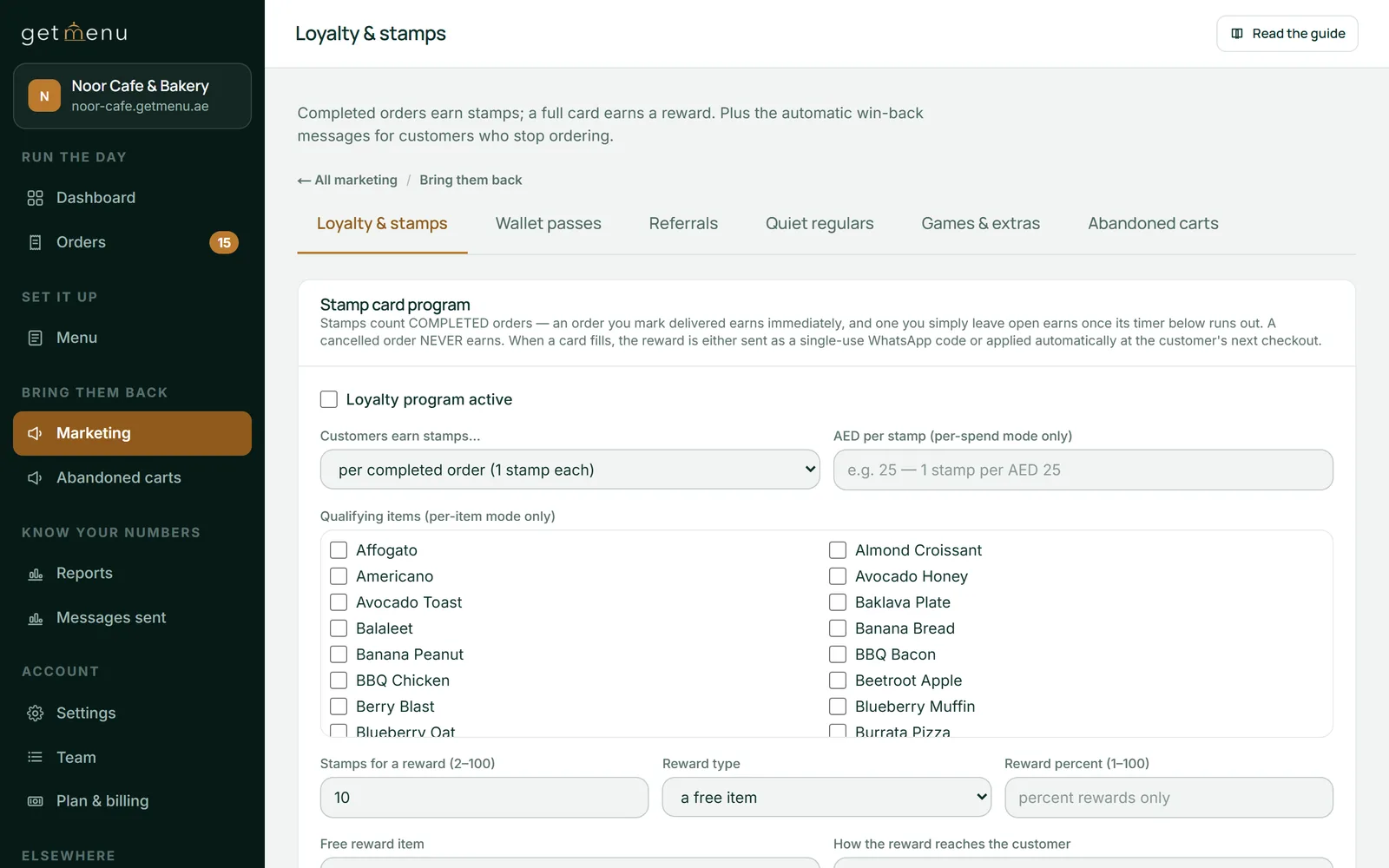
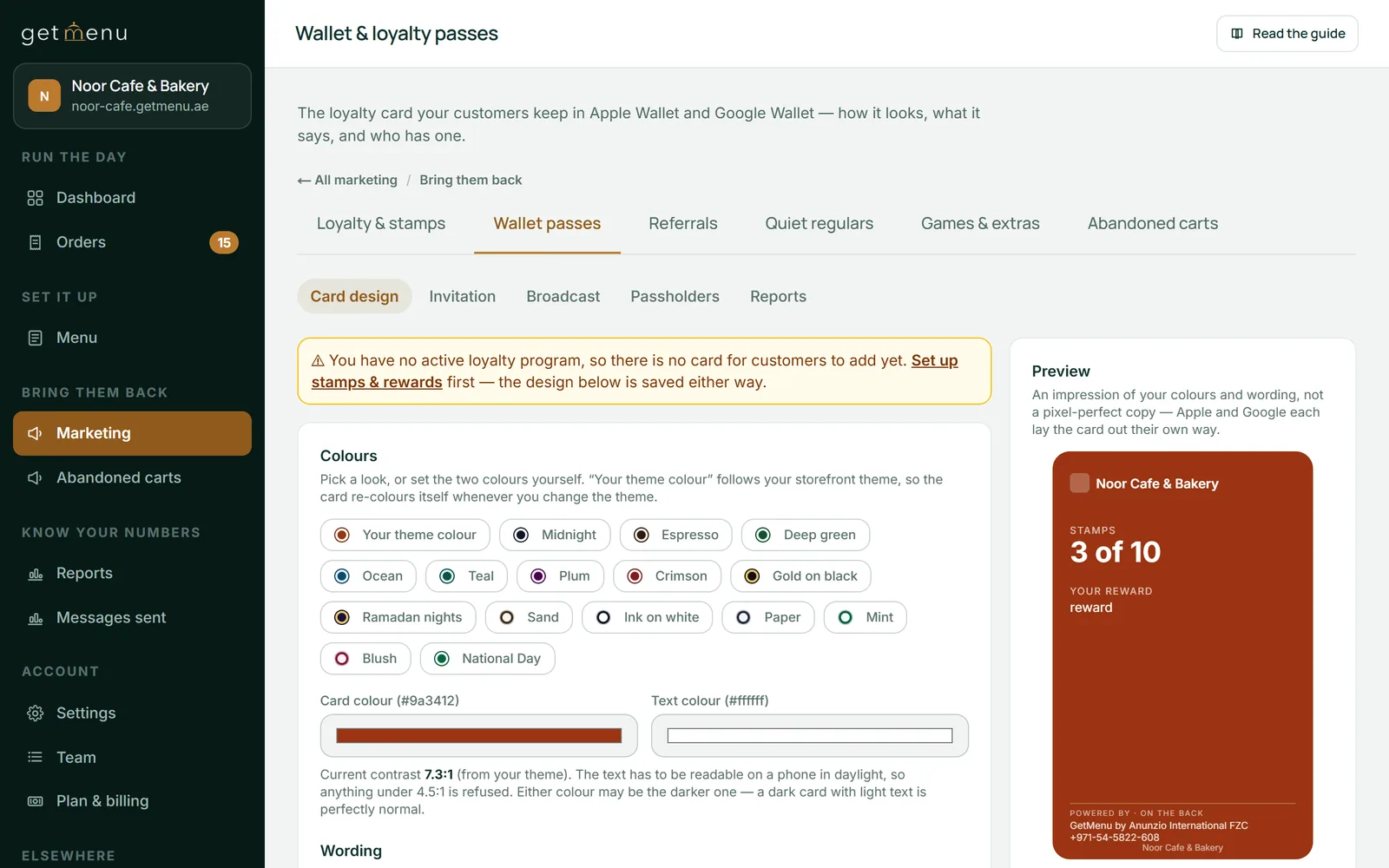
A loyalty card in Apple Wallet or Google Wallet shows the customer their stamps and any reward waiting, with no message from you. On the Pro plan, customers earn stamps when an order is completed. You choose one stamp per order, one per amount spent, or one per chosen dish. Regulars grow into tiers with their own discounts, and the loyalty card keeps updating itself.
The Loyalty & stamps screen, where you choose how stamps are earnedThe wallet card design screen with colour themes and a preview of the card at 3 of 10 stamps
Tanzeel ur Rehman, a co-founder of GetMenu, puts the rule in one line. "A reminder is a message the customer would have sent themselves if they had remembered. Send that one, at that hour, and no other."
Frequently asked questions
How do I re-engage past customers before lunch and dinner?
Not with a blast. Let GetMenu send each customer a reminder at the hour they usually order, from your own WhatsApp number, with the link to your menu. Add the usual-day message for weekly regulars, keep the weekly limit for promotions at two, and let the loyalty card on their phone do the rest between messages.
What is the dormancy win-back?
A ladder of three messages to a customer who has stopped ordering, sent 14, 30 and 60 days after their last order, each with its own wording and an optional coupon. A customer only ever receives the latest stage due, and the ladder starts again when they order. It is off until you tick "Run the win-back ladder" under Marketing, Loyalty & stamps, on the Pro plan.
What is the churn-risk early warning?
It is the quiet-regulars message for a regular who may stop ordering. It watches customers with four or more orders. When one has gone well past their own usual gap between orders, it sends a message before the win-back ladder would. It never sends on the same day as a win-back, and it is off by default.
What should a mealtime reminder say?
Very little. GetMenu writes it for you: "Hungry again?" with your restaurant's name and that you are cooking, a line to order in a couple of taps with the link to your page, and your coupon code if you set one, on the Growth and Pro plans. It carries no dish list and no price.
How many marketing messages can I send a customer a week?
By default, 2 automatic marketing messages per customer per week. You can raise this to 14. Set it to 0 and every automatic message waits in the Review queue for you to release it. The limit covers automatic promotions such as win-backs and abandoned-cart reminders. Campaigns you write yourself follow their own daily limit and spacing, and the mealtime reminder goes once for each delivered order.
Do blast SMS messages work for restaurants?
Mostly not. A message sent to every number at once reaches people who are not hungry, reads as an advert, and customers soon learn to ignore it. One announcement can be fine, such as new opening hours or a holiday menu. For the next order, a reminder at the customer's own mealtime works better. On GetMenu, text messages are an optional extra copy of selected messages, sent from your own phone.
One person cannot answer 15 chats at eight in the evening. Instead, send customers to your ordering page, and the finished order arrives in WhatsApp for you, your managers and your riders.